
Copilot Money is an innovative budgeting tool that is making budgeting and tracking your finances easier.
If you've used Google or ChatGPT, you’ve experienced the benefit of finely honed natural language processing (NLP). Through simple rules based on real language, you can filter through tons of information to find what you need. Despite the growing usage of NLP in other parts of our digital life, FinTech companies have been slow to latch onto NLP as a way to serve people.
Copilot Money is changing that. This AI-powered app allows you to train it to serve up the best information for you. By combining the best elements of design and AI, Copilot Money is a true digital assistant.Here’s what you need to know about this new money app.

Quick Summary
- An app designed to track your spending, build your budget, review investments, and help you set and achieve your savings goals.
- No advertising partners.
- Uses natural language processing to make transaction categorization easier.
- Get two months free with promo code COLLEGE
Copilot Money Details | |
|---|---|
Product Name | Copilot Money |
Price | Free for 1 month, after that, $13 per month Or yearly price of $95 ($7.91 per month) |
Platform | iOS, MacOS, Web |
Promotions | 2 month free trial with promo code COLLEGE |
What Is Copilot Money?

Copilot Money is an app designed to help you become a better manager of your money. The company’s focus on a user-centric experience ensures that you’ll understand the most important parts of your financial life, like whether you’re earning more than you’re spending. It allows you to really dig into the details of your finances.
Founded in 2019, the New York-based Fintech company flew under the radar for a long time. But with more than 24,000 reviews in the App Store, the company is starting to gain attention as a quality personal finance app.
Unlike many Fintechs, Copilot Money doesn’t partner with big banks and credit card companies. Instead, it charges a monthly or annual subscription fee to its devoted customers - which pays for the connection costs to these companies.
In 2026, we named Copilot Money a top budgeting app in our annual comparison. It was also named an Apple Editor's Choice app.
What Does It Offer?
Copilot Money offers a user-centric approach to money management with helpful visualizations and useful notifications. It focuses on a streamlined user experience enhanced by AI.
Intuitive Visualizations
Copilot Money has several dashboards that allow users to understand the facets of their finances. The investments dashboard shows long-term trends as well as more recent tickers of returns. The budget dashboard shows at-risk categories where you may overspend, as well as a breakdown of spending by category. These forecasts show whether you’re likely to overspend your income.
The tools are easy to use, especially if you want to examine a specific transaction.
Spending Tracker and Budgets
The part of the Copilot Money app that will apply to almost everyone is the spending tracker and budgeting portion of the app.
Getting the budget set up correctly can take a little bit of work since you have to “train” the app on how to categorize transactions. For example, you may need to label transactions as transfers or income rather than expenses. It’s biggest downfall of the app—characterizing transactions isn’t intuitive. But once you have the budget set up, it’s fairly simple to track expenses against the budget you set in the app.
They recently launched their Transaction AI, which should make labeling and categorizing much faster and easier. We're excited for this.
Copilot Money enables you to adjust budgets by month or enable “rollovers.” An example of a rollover is underspending several months to account for larger spending months. This is perfect for tracking vacation spending, or even childcare spending if you tend to have larger expenses in the summer months.
Investment Tracking
Copilot Money helps you track the value of your whole portfolio and gives you details on some of the bigger movers in your portfolio.
You can customize the “widgets” on your investment page to focus only on the details that matter to you. If you’re a long-term index fund investor, you may not care to see the daily movements in your portfolio. In this case, you can remove those from your investment tab.
Those who are more active traders may want to enable a watchlist or some other functionality through the app. Copilot Money is highly customizable, which makes it great for a variety of investors.
Copilot tracking options [Screenshot by The College Investor]. Source: Copilot
Support for Crypto Tracking
If you have crypto, you can track the value of this investment, even if you hold your crypto in a hardware wallet. Copilot Money has guides that show how to connect to your wallets so that your crypto investments are properly tracked with the rest of your net worth.
Copilot Money doesn’t give you detailed crypto tracking information like CoinTracker, but it offers a reasonable way to look at your crypto alongside your other investments.
Notification Flexibility
If you’re interested in building credit or watching for low account balances, you can set up push notifications through Copilot Money. On the other hand, if you’re more concerned with staying on budget, you can prioritize those notifications instead.
When notifications are designed for everybody, they may not apply to your situation. But with Copilot Money, you can set the notifications that matter to you, and never see the ones that don’t pertain to you.
Transaction Categorization Using Natural Language Processing
When you first start using Copilot Money, the app may feel relatively generic, as a lot of your spending transactions will be characterized as “Other.”
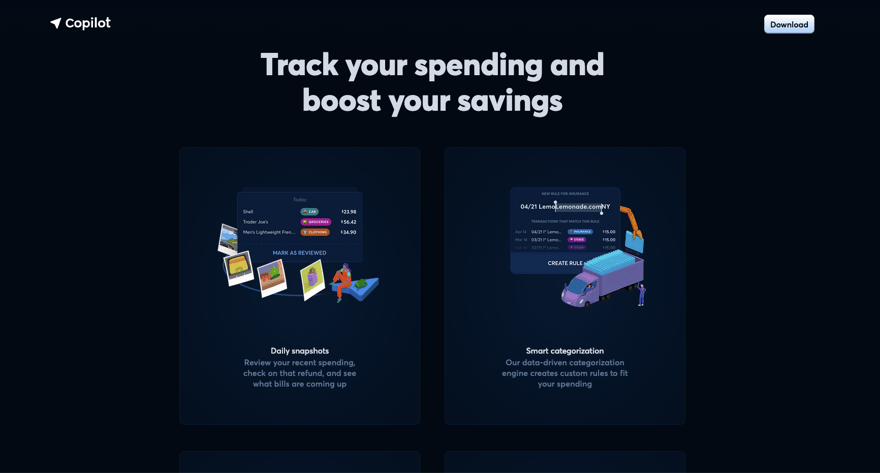
But when you get into the app, you can start tagging transactions to the right “bucket” of your finances. As you start to do this, Copilot Money asks if you want to make a rule.
Rules allow Copilot Money to appropriately characterize similar transactions on your behalf. This is a huge time saver and makes budgeting and tracking much easier.

Copilot transaction categorization [Screenshot by The College Investor]. Source: Copilot
Are There Any Fees?
You can try Copilot Money free for two months with code COLLEGE, but after that, you have to pay. Copilot Money costs $13 per month or $95 per year.
Unlike many budgeting apps, Copilot Money doesn’t partner with a brokerage or a credit card company, so users have to pay to use the app.
Contact
You can access Copilot Money’s help center online or through the app in-app chat support. If you want to contact the company, you can email Copilot Money at [email protected].
The company does not advertise a phone number or alternative contact method.
How Does Copilot Money Compare?
Copilot Money is one of the myriad budgeting apps we’ve reviewed over the years. Of these apps, it is one of the few that makes transaction characterization easy and automated. With limited data, Copilot Money “learns” your custom money rules that make the app easier for you to understand.
Tiller and You Need A Budget offer similar customizability as Copilot Money, but neither of these apps has built-in “learning” that makes it easy to track spending.
Other apps, like Empower (formerly Personal Capital), offer almost as much functionality as Copilot Money, and they are free.
Copilot Money is competing in a crowded marketplace of excellent budgeting apps, but it still stands out.
Most people won’t switch from their budgeting app of choice, but Copilot Money could soon become a widely recognized name in the Fintech space.
Header |  |  |  |
|---|---|---|---|
Rating | |||
Pricing | $13/month or $95/year | $14.99/mo or $109/yr | Free |
Free Trial | 60 Days With Promo Code COLLEGE | 34 Days | N/A |
Platform | iOS, Mac, Web | iOS, Android, Web, Alexa, and more | iOS, Android, Web |
Cell |
How Do I Open An Account?
To open a Copilot Money Account, download the Copilot Money app from the App Store either on a Mac or an iPhone. From an iPhone, you can choose to use your biomarkers for access, such as FaceID or you can create an account using an email address and password combination.
You don’t need to provide any information beyond your credentials. Instead, you’ll link accounts and crypto wallets
Is It Safe And Secure?
Copilot Money offers complete transparency regarding its security practices. It requires multi-factor authentication and offers the option of FaceID for access. The company connects to your accounts using a third-party system called Plaid. Plaid is recognized as having a safe and secure connection service. Copilot is also committed to continually assessing its app for threats and making updates to it.
Despite the high degree of safety and security, Copilot Money could be hacked. Users would not be at risk of losing money in a hack (all accounts are connected using read-only access), but private data could be leaked. It is always important to assess your risk tolerance before signing up for any online financial app.
Is It Worth It?
Using Copilot Money is a pleasure. If you have an hour to set up the app to your liking, it’s great to log in and get a meaningful status update on your money without wading through unnecessary garbage.
When you don’t consider cost, Copilot Money is one of the best general personal finance apps available.
The only hangup with Copilot Money is the cost. At $95 annually, Copilot Money is fairly expensive, and many people don’t need all of its bells and whistles.
If you’ve tried some of the free budgeting apps, and you don’t like them then give Copilot Money a try. The cost is high for a budgeting app, but a great money-tracking system is a game changer. Copilot Money could be that app for you.
Features
Price |
|
Budgeting | Yes |
Income Tracking | Yes |
Expense Tracking | Yes |
Bank Integration | Yes |
Investment Tracking | Yes |
Crypto Tracking | Yes |
Credit Score Monitoring | No |
Net Worth Tracking | Yes |
Bill Pay | No |
Tax Preparation | No |
Import Bank Data Files | Yes |
Customer Support Options | Email and in-app chat |
Customer Service Email | |
Web Account Access | Yes |
Mobile App Availability | |
Promotions | 2 month free trial with promo code COLLEGE |
Copilot Review
-
User Friendliness
-
Customer Service
-
Mobile App Functions
-
Security
Overall
Summary
Copilot Money is a true digital financial assistant that can help you budget and track your spending. Here’s what you need to know about it.
Pros
- Deep knowledge of taxes and tech worker finances.
- Low-cost asset management and portfolio construction services.
- Help center staffed by real people during business hours.
Cons
- Changing transaction types wasn’t intuitive, even after doing it a few times.
- Must pay a monthly or annual fee after the first free month.
Editor: Claire Tak Reviewed by: Robert Farrington

Sarah Sharkey is a personal finance writer who covers banking, credit, student loans, and insurance for The College Investor. She has written for leading financial outlets including Bankrate, Business Insider, and more, helping readers make confident choices about borrowing, saving, and building wealth.
Sarah holds both a bachelor’s and a master’s degree from the University of Florida, and her background in management and research informs her clear, practical approach to complex financial topics.